
by admin | Dec 18, 2025 | Business Tips
2025 was not a year of collapse.
But it was a year of pressure.
For many business owners, it felt like every lever became harder to pull at the same time. Growth was possible, but not easy. Profit was achievable, but not guaranteed. Energy was available, but increasingly scarce.
What stood out most was not any single event. It was the combination of forces shaping how business now operates.
Looking back across the year, five clear trends emerged. Together, they explain why so many founders feel stretched and why 2026 will reward a very different style of leadership.
1. AI moved from curiosity to capability
In 2025, AI stopped being a novelty and started becoming infrastructure.
Early experimentation gave way to practical use:
⁍ drafting documents
⁍ preparing reports
⁍ supporting planning
⁍ improving decision quality
⁍ reducing admin load
What changed was not the technology itself, but expectations. AI is no longer about replacing people. It is about amplifying thinking, speeding execution and removing friction.
The leaders who struggled were those waiting for perfect clarity.
The leaders who progressed treated AI as a capability to be learned, not a tool to be mastered overnight.
What this means for 2026
AI will not create advantage on its own. Advantage will come from:
⁍ integrating AI into real workflows
⁍ using it to reduce noise and admin
⁍ supporting better decisions not faster mistakes
The question is no longer “Should we use AI?”
It is “Where does AI remove pressure from the business?”
2. The workforce crisis became a growth constraint
The workforce challenge did not improve in 2025. It changed shape.
Vacancies could often be filled, but capability gaps widened.
Good people were harder to find, harder to retain and slower to reach full productivity.
For many businesses, growth stalled not due to demand, but due to:
⁍ lack of skilled labour
⁍ high supervision loads
⁍ long onboarding lead times
⁍ burnout in key roles
This quietly capped growth potential.
What this means for 2026
Recruitment alone will not solve this.
The next phase requires:
⁍ process improvement
⁍ role redesign
⁍ automation and technology
⁍ off-shoring where appropriate
⁍ faster onboarding and time-to-competence
Growth will increasingly come from designing work differently, not adding more people.

3. Global politics added a permanent layer of uncertainty
2025 reinforced a hard truth. External stability can no longer be assumed.
Global conflict, trade disruption, elections and geopolitical tension flowed directly into:
⁍ supply chains
⁍ interest rates
⁍ currency volatility
⁍ customer confidence
Australian businesses felt this even when operating locally.
The result was hesitation. Many owners delayed decisions, waiting for clarity that never arrived.
What this means for 2026
Uncertainty is no longer a phase. It is the operating environment.
Strong businesses will:
⁍ plan in shorter cycles – Annual PLans cascading to 90 Day Actions
⁍ build optionality into decisions
⁍ protect cash and margin
⁍ strengthen scenario planning
⁍ reduce reliance on single points of failure
Confidence in 2026 will come from adaptability, not prediction.
4. Finance tightened and discipline mattered again
Money was still available in 2025, but it was more expensive and less forgiving.
Banks, investors and lenders focused more heavily on:
⁍ cash flow
⁍ asset backing
⁍ structure
⁍ systems
⁍ governance
⁍ execution discipline
Businesses with loose controls or unclear plans found finance harder to access or more restrictive.
What this means for 2026
Capital will favour:
⁍ clarity over optimism
⁍ discipline over ambition
⁍ systems over heroics
Founders will need:
⁍ better planning cadence
⁍ clearer priorities
⁍ stronger reporting
⁍ tighter execution
The era of “we’ll fix it later” is over.
5. Business complexity tipped many founders into fatigue
This was one of the quietest but most telling trends of 2025.
Business did not just get harder.
It got more complex.
⁍ More compliance.
⁍ More systems.
⁍ More people issues.
⁍ More decisions.
⁍ More noise.
Many Owners reached a point where:
⁍ busyness became the job
⁍ stress became normalised
⁍ clarity disappeared
⁍ motivation dropped
Some stepped back.
Some sold.
Some opted out mentally while staying in the role.
What this means for 2026
Sustainable success will require:
⁍ simplification
⁍ focus
⁍ boundaries
⁍ better use of systems
⁍ stronger leadership rhythm
Owners who redesign how they operate will thrive.
Those who keep absorbing complexity personally will burn out.

6. Stress increased and busyness replaced productivity
By the end of 2025, one pattern was unmistakable.
Many leaders were working harder but feeling less effective.
⁍ Calendars were full.
⁍ Inbox volume was relentless.
⁍ Meetings multiplied.
⁍ Yet strategic progress slowed.
Busyness became a proxy for value.
What this means for 2026
The advantage will shift to leaders who:
⁍ prioritise fewer things
⁍ design better weeks
⁍ reduce low-value activity
⁍ protect thinking time
⁍ focus on output, not activity
⁍ more balance and less stress
Productivity will be about focus, discipline and control, not effort.
So what does this mean overall for 2026?
The combined message of 2025 is clear.
The next phase of business will reward leaders who:
⁍ design better systems
⁍ simplify complexity
⁍ leverage technology wisely
⁍ rethink workforce models
⁍ plan deliberately – Annual and 90 Day cascades
⁍ protect their own capacity
2026 will not reward:
⁍ brute force
⁍ endless hustle
⁍ reactive decision-making
⁍ or leadership by exhaustion
It will reward clarity, discipline and focused execution.
Final reflection
2025 reminded us of something many leaders already sensed.
Working harder is no longer the answer.
Adding more is no longer sustainable.
Complexity is no longer optional.
The leaders who succeed in 2026 will not do more.
They will do less, better.
They will redesign how work gets done, how decisions are made and how energy is used.
That is not pessimism.
It is progress.
There are lots of resources on the Shifft website (www.shifft.com.au) like blogs, videos, webinars, templates, courses, books and journals to help you build a better business in 2026. Take some time over the break, or early in the New Year, to build your plan and set up for success.
Merry Christmas and a Prosperous New Year!
Russ

by admin | Nov 28, 2025 | Business Tips, Uncategorized
Most leaders assume improvement comes from addition. More projects, more ideas, more tools, more meetings, more customers, more everything. The logic seems sound: if you want progress, add more effort.
Yet the longer you lead, the clearer one truth becomes.
Businesses don’t get stuck because they lack opportunities. They get stuck because they choke on them.
The real challenge isn’t figuring out what to add. It’s having the discipline and courage to remove what no longer strengthens the business.
This is where the power of “No“ lives. Not as a negative mindset, but as a strategic lever that protects focus, energy and performance.
This article invites you to flip your thinking. Instead of asking “What should we do next?” ask “What should we stop doing so the right things can actually thrive?”
Why Leaders Fear “No”
Many owners and managers know they’re overloaded. They know their teams are stretched. They know the calendar is full of low-value work. Yet they keep saying yes.
Why?
Because saying yes feels safe. It feels helpful. It feels like momentum. “No” feels like risk.
This fear usually shows up in four ways:
⁍ Fear of disappointing customers
⁍ Fear of missing out on revenue
⁍ Fear of conflict or confrontation
⁍ Fear that saying “no” makes you small instead of strategic
These fears are understandable, but they come at a cost. Each “yes” hands away a small slice of your time, energy and attention. Eventually those slices add up and you realise you’re barely working on the things that matter most.
At that point, saying yes isn’t generosity. It’s self-sabotage.
Why “No” Creates Strategic Advantage
When you strip away noise, you give your business space to grow. This is where “No” becomes a competitive edge.
1. “No” sharpens direction
Most businesses drift, not because the strategy is wrong, but because the day-to-day decisions aren’t aligned with it. When you start saying “no” to anything that doesn’t serve your strategy, direction becomes clearer for everyone. People stop guessing. Complexity drops. Confidence rises.
2. “No” protects the engine of execution
Every project, customer or idea requires fuel. People, time, attention, cash, emotion. You only have so much to give. If you allocate it broadly, nothing receives enough. If you concentrate it, progress accelerates.
3. “No” creates quality
When you stop spreading your team thin, quality improves. Clients feel it. Staff feel it. Your confidence rises because you can deliver what you promise without burnout or compromise.
4. “No” signals leadership maturity
Leaders who can say “no” calmly and consistently project strength. They demonstrate discipline rather than desperation. This builds trust internally and respect externally.
Subtraction Is a Skill – and Most Businesses Never Learn It
Your book chapter on “No” highlights the idea that businesses usually die from indigestion not starvation.
Here’s the deeper lens behind that idea.
Growth rarely fails due to a lack of opportunity. It fails due to the inability to prioritise, simplify and focus. That means subtraction becomes a primary leadership discipline.
Ask yourself:
⁍ Which products generate revenue but destroy margin?
⁍ Which customers pay well but erode morale?
⁍ Which initiatives look exciting but distract from what matters?
⁍ Which meetings, reports or processes continue out of habit?
The core idea is simple:
Improvement by removal is often more powerful than improvement by addition.
This is how elite businesses scale without losing control. They prune aggressively. They keep only what adds value. Everything else is cut, delegated or replaced.
A More Useful Question Than “What Are We Missing?”
Strong leaders deliberately shift the conversation from addition to subtraction by asking better questions.
Try these:
⁍ What is taking up space that a more valuable project could use?
⁍ What have we continued doing simply because we always have?
⁍ Which customers or commitments drag us away from our strategy?
⁍ What do we need to stop so we can start doing the right work properly?
These questions expose clutter. Once exposed, it becomes easier to act on.
Making “No” Practical – A Simple Four-Part Filter
Saying “no” shouldn’t be emotional. It should be systematic.
Here’s a simple filter that helps you judge whether something deserves a yes.
1. Strategy Fit
Does this align with our strategy?
If not, it’s a “no” by default.
2. Value vs Effort
Will the result justify the time, energy and disruption required?
High effort and low value signal a “no”.
3. Capacity
Do we genuinely have the space to do this well?
If the answer is “no”, then the answer is “no”.
4. Timing
Is this the right move now or just a good idea at the wrong time?
If it’s not a priority today, then it becomes a “not yet.”
This filter helps you make decisions without guilt or second-guessing.
Creating a Culture Where “No” Is Safe
Many businesses encourage saying yes because it looks proactive. Yet high-performing teams thrive when “No” is normalised.
Here’s how to build that rhythm.
1. Make strategy visible
When everyone knows the plan, it becomes easier for them to assess whether a new idea fits. Clarity empowers good judgment.
2. Reward focus, not volume
Celebrate the work that moves the business forward, not the number of projects in motion. Value progress, not busyness.
3. Protect your team’s bandwidth
Teach your managers to say “no” to low-value work. Make it acceptable for them to challenge ideas that dilute focus. This strengthens accountability and reduces overwhelm.
4. Remove outdated commitments
Every quarter, run a Stop Doing Review. Ask the team to identify:
⁍ Tasks that “no” longer add value
⁍ Reports “no” one reads
⁍ Processes that slow things down
⁍ Activities done from habit not necessity
Removing clutter builds momentum quickly.
The Real Reason “No” Matters for Leaders
Saying “no” well is not about being harsh or rigid. It’s about stewardship.
Your most limited resources are not cash or tools. They are:
⁍ time
⁍ attention
⁍ energy
⁍ strategic bandwidth
Every unnecessary “yes” dilutes one of these. Every thoughtful “no” protects them.
When leaders reclaim these resources, execution improves. Stress drops. Strategy clarifies. Teams find rhythm. Owners regain control.
“No” is not rejection. It is refinement.
“No” is not shutting the door. It is choosing the right one to walk through.
“No” is not playing small. It is making space to play bigger.

by admin | Nov 28, 2025 | Business Tips
Australia’s workforce crisis continues to evolve. It is no longer simply about shortages. It is about capability, cost, flexibility and performance. Many SMEs can fill roles eventually, but too many new hires require long lead times to reach competence and too many teams are stretched by inconsistent capacity.
The strongest businesses are no longer trying to fight the market. They are redesigning how work is done so they can run profitably and sustainably with a blended, flexible and increasingly hybrid workforce.
This means combining:
⁍ on-premise staff
⁍ WFH roles
⁍ offshore capability
⁍ process improvement
⁍ automation and technology
⁍ rapid onboarding systems
⁍ selective flexibility tied to productivity
When these elements work together, businesses break their dependence on a tight labour market and create a model built for the next decade.
1. Flexibility is no longer optional – but productivity must shape the boundaries
Employees now expect flexibility in some form. Even traditionally hands-on industries are offering flexible start times, roster control, job-share, hybrid admin roles and occasional WFH days.
The challenge is clear.
Flexibility without structure kills productivity.
Flexibility with the right systems enhances it.
Strong businesses are designing flexibility using three principles:
A. Flexibility must support the work, not compromise it
⁍ Start with the workflow, not with the request.
B. Flexibility must be earned and maintained
⁍ Clear KPIs, output measures, and communication rhythms keep remote and hybrid teams accountable.
C. Flexibility must be consistent and fair
⁍ Different roles naturally have different constraints, but standards and expectations still need to be clear.
⁍ When flexibility is structured properly, engagement improves and performance lifts rather than weakening.
2. The modern workforce is hybrid – on-premise, WFH, offshore and automated
Businesses now operate with multiple labour streams.
The key is ensuring each one supports the others, rather than creating disconnect or duplication.
On-premise staff
Handle physical, client-facing, operational, or safety-critical work.
Their productivity improves when administrative noise is removed.
Work-from-Home and hybrid roles
Great for:
⁍ administration
⁍ customer service
⁍ quoting and documentation
⁍ scheduling
⁍ finance
⁍ technical support
⁍ specialised knowledge work
Remote work lifts output when:
⁍ the role is clearly defined
⁍ expectations are measurable
⁍ systems support visibility
⁍ the communication rhythm is tight
Off-shored capability
Handles:
⁍ repeatable processes
⁍ documentation
⁍ reporting
⁍ QA tasks
⁍ data handling
⁍ standardised workflows
This reduces supervision pressure on local teams and creates reliable capacity.
Automation and technology
Manage:
⁍ reminders and follow-ups
⁍ data transfer
⁍ reporting
⁍ scheduling
⁍ drafting
⁍ quality prompts
This frees people—onshore and offshore—to focus on higher-value work.
The future workforce model is blended and integrated.
The businesses that win are those that design these components to work together.
3. Process improvement is now the engine of productivity and flexibility
Flexibility fails when processes are loose.
Hybrid work fails when workflows are inconsistent.
Off-shoring fails when no one can explain the process clearly.
This is why process improvement is the first and most powerful lever.
Businesses are:
⁍ mapping workflows
⁍ removing unnecessary steps
⁍ tightening handovers
⁍ reducing errors and rework
⁍ standardising documentation
⁍ building simple checklists
⁍ cleaning up system clutter
This reduces the capability required to perform each role.
It also makes remote work, hybrid models and off-shoring easier and safer to manage.
Process drives performance.
Better process = more flexibility with less risk.
4. Technology is driving a step-change in capacity and performance
Technology is no longer about gaining an edge.
It is about staying viable.
Practical tools include:
⁍ cloud-based systems
⁍ digital forms
⁍ workflow automation
⁍ integrated job management software
⁍ role-based system access
⁍ shared dashboards
⁍ AI assistants for documentation and communication
Technology reduces manual handling, improves visibility and allows the business to operate seamlessly across multiple locations.
This is how flexibility and productivity support each other, not fight each other.
5. Off-shoring is now mainstream – and part of the flexibility equation
Off-shoring is no longer primarily about cost.
It is about smoothing capacity, lowering supervision pressure and creating predictable workflow support.
The strongest SMEs use off-shoring to:
⁍ manage routine work
⁍ support documentation and reporting
⁍ run quality checks
⁍ maintain consistency in high-volume processes
⁍ free local leaders to focus on customers and growth
Off-shoring enables flexibility by reducing the strain on onshore teams.
6. Rapid onboarding is the new competitive advantage
A flexible, hybrid workforce is only effective when people become productive quickly.
Traditional onboarding is slow and inconsistent.
High-performing SMEs are adopting structured 90-day onboarding systems that provide:
⁍ clear capability standards
⁍ weekly learning milestones
⁍ practical demonstrations
⁍ simple checklists
⁍ video walkthroughs
⁍ shadowing and buddy systems
⁍ AI-assisted training resources
⁍ automated follow-up and progress tracking
A well-designed onboarding system dramatically reduces time-to-competence.
This widens your hiring pool because you can confidently hire for attitude, not experience.
7. Productivity is the anchor that holds everything together
The businesses doing best in the current environment share a consistent approach.
They design for productivity first.
Flexibility, hybrid models, off-shoring, and technology sit on top of that anchor.
The most successful SMEs in 2025 are doing five things exceptionally well:
A. Simplify before staffing
⁍ Clean up processes and workflows before recruiting.
B. Automate aggressively
⁍ Use technology to remove repetitive work and increase visibility.
C. Blend onshore, offshore, and remote talent
⁍ Assign work based on value, capability and efficiency.
D. Build rapid onboarding systems
⁍ Reduce lead time to competence and lower training pressure.
E. Offer structured flexibility
⁍ Flexible arrangements tied to clarity, accountability and performance.
Three workforce priorities for the next 12 months
1. Redesign roles for a hybrid future
⁍ Shift repetitive tasks offshore or into automated systems.
⁍ Reserve local roles for value, judgement and client impact.
2. Build flexible work frameworks
⁍ Define what flexibility looks like in each role and how performance will be managed.
3. Create a repeatable, 90-day onboarding system
⁍ Make competence predictable.
⁍ Make training easier.
⁍ Make flexibility safer.
Final thought: Flexibility and productivity are not opposites. They are partners.
Australia’s workforce crisis is not going away, but its shape is changing.
Businesses that thrive will be those that redesign work, embrace hybrid models, use technology well and grow people faster.
The winners will:
⁍ simplify
⁍ standardise
⁍ automate
⁍ off-shore where appropriate
⁍ and offer flexibility within a productive, well-designed system
This is the workforce model that will carry SMEs into the next decade with confidence.

by admin | Oct 26, 2025 | Business Tips
We’ve been sold a lie.
“Just delegate more.” “Let go and trust your team.” “Stop being the bottleneck.”
Sounds great. But most of the advice on delegation is either vague or downright dangerous. Because if you let go without structure, clarity, or boundaries — things fall apart fast.
 Delegation isn’t about trust falls and blind faith. It’s about control. Not micromanagement, but real, structured control over the outcomes you need.
And that’s why most leaders get it wrong. They hand over tasks without handing over the right tools, context, or decision-making framework. Then they’re shocked when it blows up — and they go back to doing everything themselves.
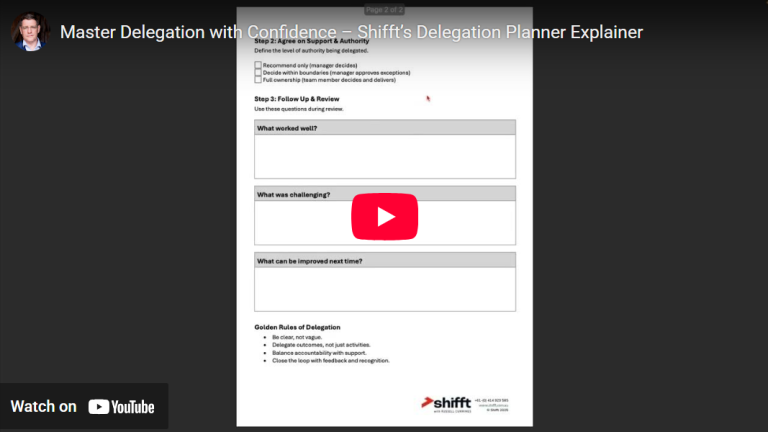
I’ve seen this pattern a hundred times. That’s why I built the Delegation Planner — a no-fluff tool to help you delegate like a leader, not like a gambler.
Step 1: Clarity Over Comfort
Most people delegate to get things off their plate. That’s the wrong goal.
Your first job isn’t to hand it off. Your first job is to get crystal clear on:
- What needs to be done — and what success actually looks like
- Why it matters — so the task doesn’t get dropped when pressure hits
- Who is accountable, not just involved
- When it’s due — with real, non-negotiable deadlines
- Where the team member can go for help or resources
- How to deliver it — standards, boundaries, format
This isn’t micromanagement. This is leadership.
Clarity reduces rework. Clarity builds capability. Clarity creates momentum.
Step 2: Delegate Authority, Not Just Activity
Here’s a harsh truth: if you’re still the decision-maker on every delegated task, you haven’t really delegated anything.
The Delegation Planner forces a real conversation about decision rights:
- Can they recommend only?
- Can they decide within limits?
- Or are they fully owning it, end to end?
Most leaders skip this step. Then they wonder why their team keeps coming back for approval. Every. Single. Time.
Decide up front. Then step back accordingly.
Step 3: Close the Loop — Or Don’t Bother
The final piece? Follow up. Not in a “checking up” way, but in a “let’s learn and grow” way.
Ask:
- What worked well?
- What could have been done better?
- What support was missing?
Without this step, you’re just hoping they get better next time. Spoiler alert: they won’t. Feedback is what drives improvement — not just repetition.
The Bottom Line
Delegation isn’t about dumping. It’s not about “empowering people” with vague instructions and crossed fingers.
It’s about being deliberate. Structured. Focused.
When you delegate with discipline, you grow your team and take control of your time.
So stop winging it. Download the Delegation Planner. Use it. Share it. Make it a regular part of your leadership toolkit.
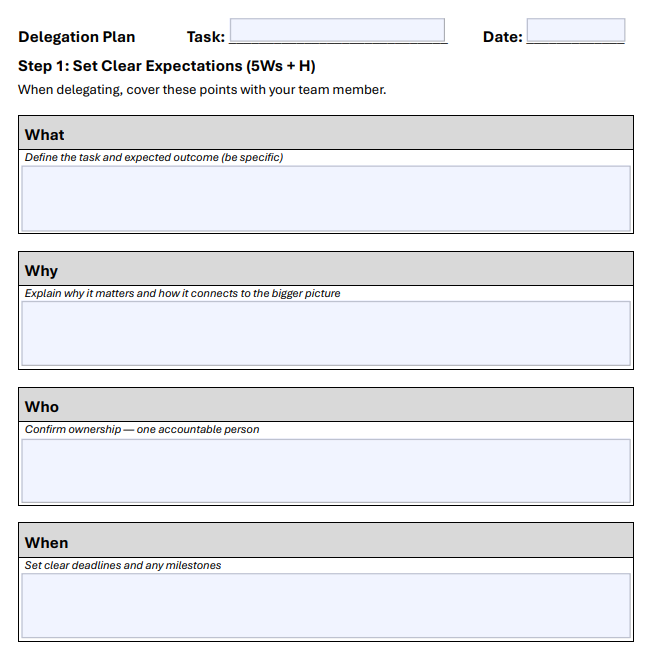 Delegation Planner
A practical template designed to help you assign tasks, clarify responsibilities, and track progress for efficient team management.
Explore more practical tools, not fluffy advice at www.shifft.com.au.

by admin | Oct 2, 2025 | Business Tips
If you’re a business owner or manager, you’ve probably had days where you’ve been flat out all day but still felt like nothing important actually got done. You’ve ticked boxes, put out fires, handled emails and meetings, but the big strategic priorities are still sitting there untouched.
That’s the reality for many leaders I work with. The issue isn’t lack of effort – most business owners are some of the hardest working people you’ll meet. The problem lies in time and priority management. Too often, we confuse being busy with being productive.
The good news? With the right mindset, tools, and discipline, you can take control of your time and start driving results that matter.
Why Time and Priorities Get Away From Us
There are three common reasons why owners and managers find themselves drowning in tasks but starving for progress:
1. Lack of Focus
Without a clear plan, everything feels urgent. You end up reacting to the loudest problem of the day rather than progressing the goals that will move your business forward.
2. Weak Discipline
Even when you know your priorities, sticking to them is tough. Distractions, interruptions, and shifting demands can pull you off course.
3. Low Control
Many owners don’t shape their environment – they let meetings, emails, and other people’s priorities dictate their time. The result? Long hours, little progress, and mounting frustration.
Why 90-Day Plans Are the Answer
The first step is to get “Focus” and a 90-Day Plan is my usual starting point for businesses and leaders. Its one of the most powerful tools we use at SHIFFT as It’s short enough to create urgency, but long enough to make meaningful progress.
The hierarchy of planning works like this:
- Strategic Plan: 3–5 years
- Annual Plan: 12 months
- 90-Day Plan: the next quarter
- Monthly, Weekly, and Daily Plans
As you cascade from long-term down to daily, the timeframe shrinks, the detail increases, and accountability sharpens. That’s how strategy becomes execution.
When you start your quarter with a clear 90-Day Plan, you’ve set the stage for focus. Then, by breaking that plan into monthly, weekly priorities and daily “Must Do’s”, you ensure you’re working on the right things every day – not just the noisy things .
Practical Example: From Strategy to Daily Action
Let’s say your strategic goal is to grow revenue by 20% next year.
- Annual Plan: Add two new sales channels.
- 90-Day Plan: Launch the first channel and lock in three new major clients this quarter.
- Monthly Plan: Complete the campaign setup and outreach by Month 1.
- Weekly Plan: Identify and pitch 10 top prospects.
- Daily Plan: Make 5 outbound calls and prepare one proposal.
That’s how strategy stops being a nice idea in a document and starts becoming a lived reality in your calendar.
How to Regain Control of Your Time
Here are three steps to bring your time and priorities under control:
1. Start Every Quarter with a 90-Day Plan
Decide on your 3–4 “Big Rocks” for the quarter – the things that must be achieved. Then cascade those down into monthly, weekly, and daily actions.
2. Use the Must-Should-Could Method Daily
Identify your 2–4 “Must-Do’s” each day. These are the non-negotiables. If they’re done, the day is a success – even if nothing else gets touched
3. Build Habits that Reinforce Discipline
Use time-blocking, set boundaries on meetings and email, and create routines that protect your focus. Discipline beats motivation every time.
Key Takeaways
1. It all starts with a 90-Day Plan. Without one, you’ll drift into busyness instead of progress.
2. Discipline beats motivation. Daily habits, time-blocking, and Must-Do’s keep you on track.
3. Cascading plans create clarity. Strategy becomes real when it flows into monthly, weekly, and daily action.
Don’t let this quarter slip away. Join us at the Finish Strong webinar and set yourself up to finish 2025 with momentum and confidence.
Custom resources to help you improve your execution
The Finish Strong Challenge
We’re heading into the final quarter of 2025. Many businesses slow down in the lead-up to Christmas – but that doesn’t have to be you. The next 90 days could be your most productive and profitable of the year if you get your plan clear and executed .
That’s why I’m running a free webinar next week:
Finish Strong: Plan the Run to Christmas so You Close Out 2025 & Set Up for 2026
📅 Friday, 10 October 2025
🕘 9:00am–11:00am (Brisbane time)
Books & Journals
Focused Execution
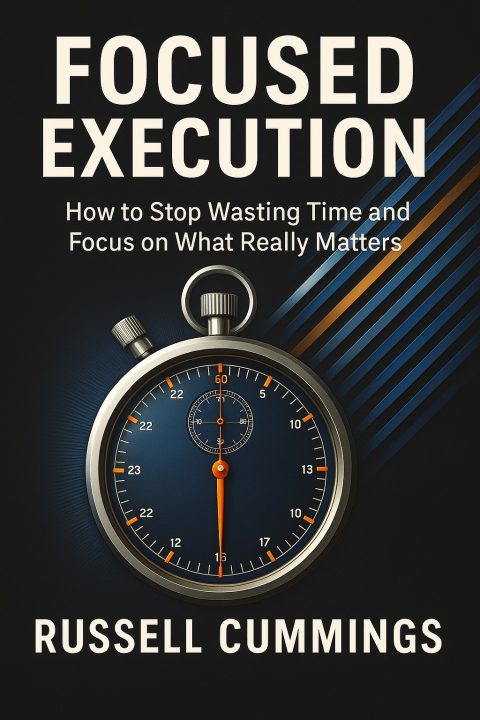 “Focused Execution: How to stop wasting time and focus on what really matters” by Russell Cummings.
This book summarises the key elements for improving your personal productivity. Russ utilised the tools, concepts and principles outlined in the book to lift his personal productivity by 4X. He went from working 70+ hours/week to 35 hours over 4 day each week on double the revenue.
Focused Execution gives business owners and managers a proven system to take back control of their time and achieve results without burnout.
Available now in print and e-book version on Amazon – Click here
90 Day Productivity Planner
 If “Focused Execution” – the book – is the “WHY”, then our Productivity and Planning Journals are the “HOW”!
Stay disciplined as you cascade your 90 Day Plans to monthly, weekly and daily priorities integrating strategies, tactics and operational priorities. Built on the powerful tools and concepts highlighted: The Focused Execution Book, this journal is ultimate daily planner that includes links to free videos and templates to enhance your planning experience.
Available on Amazon in A5 dated paperbased format – Click here
Annual Operating Planning Journal
 “Focused Execution: Annual Operating Plan: Planning for the next year and beyond” by Russell Cummings.
Turn your strategy into action with the powerful AOP process. Our AOP Journal dovetails neatly with out 90 Day Planning Journal to help you move from Annual to 90 Day to daily plans.
The book includes links to videos and templates to enhance your planning experience.
Available on Amazon in A5 softcover format – Click here
AI Prompt Libraries
 The biggest challenges our clients have with AI is what to ask it. To help Russ, created a series of AI prompt libraries that include a range of prompts to help you navigate through a variety of scenarios.
Accelerate your results with our growing collection of AI Prompt Libraries – real words tested prompts for ChatGPT, Co-pilot and other AI Tools to streamline work, increase productivity and spark new ideas.
Each book contains approximately 700 prompts tailored to your specific industry, role or situation. Simply “cut and paste”, tailor for your situation to get amazing result.
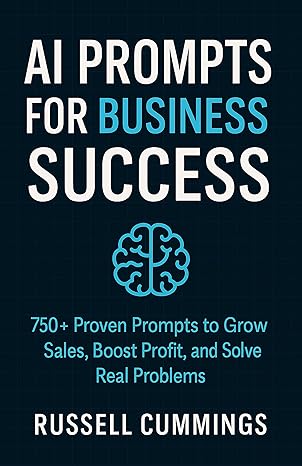
AI Business Success – Industries & Professions Series
Targeted prompts for industries and professions including: accounting, consulting, marketing, transport, lawyers, manufacturing, horticulture and more – Click here
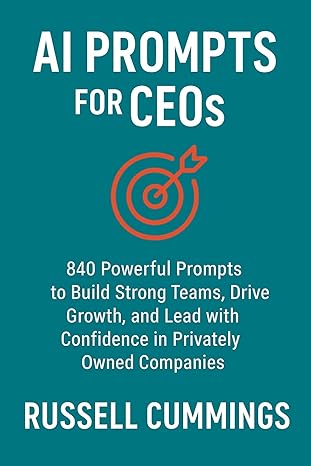 AI Prompt for Exec – Roles & Responsibilities Series
Focused prompts for Business Owners, Managers, CEOs, Executives, Partner, etc. – Click here
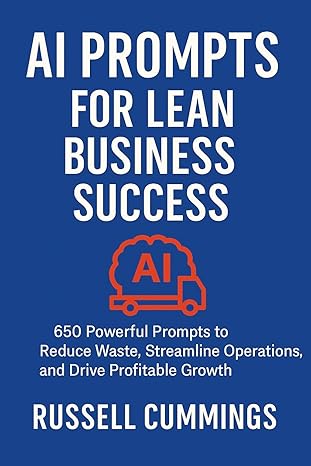 Ai Prompts – Key Areas & Situations Series
AI Prompts books for essential business areas such as productivity, sales, learn, workforce, planning, etc. – Click here

by admin | Dec 3, 2024 | Business Tips
Growth is often seen as the ultimate marker of success in business. More sales, more clients, more employees—all signs that your business is thriving, right? However, bigger doesn’t necessarily mean better. While revenue might climb, profit margins don’t always follow suit. In fact, as businesses grow, complexity increases, requiring higher levels of management skill and more sophisticated systems. In this article, we’ll explore the challenges of growth, the life cycle of businesses, and how to navigate the inevitable plateaus with a focus on sustainable success.
The Business Growth Life Cycle
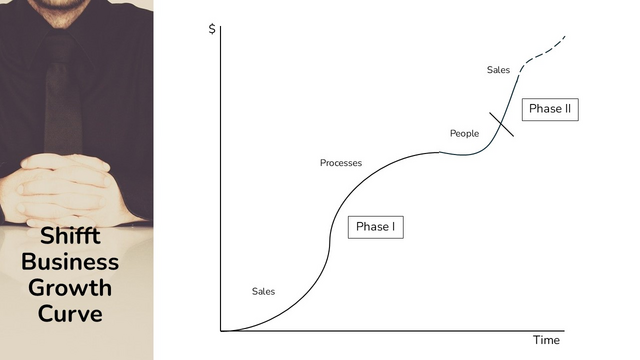
Business growth follows a predictable pattern that can be visualised as an S-curve. Each phase of the curve comes with its own opportunities and challenges:
1. Startup Phase: At the beginning, businesses focus on generating sales and turning those sales into early profits. This is a high-energy, entrepreneurial phase where processes and systems are often minimal.
2. Process and System Building: As the business grows, the need for structured processes and systems becomes clear. These provide the foundation for scalability but often lead to a plateau as the business consolidates and adjusts to the new complexity.
3. Team Expansion: With solid systems in place, businesses can hire additional team members to take advantage of the efficiencies created. However, scaling up often exposes weaknesses in systems and processes, leading to new challenges.
4. Rapid Growth Phase: Once the business has optimised systems, processes, and team capacity, it can ramp up sales again, entering a phase of accelerated growth.
This cycle repeats itself as the business grows, creating a rhythm of consolidation and expansion. Recognising where you are in the cycle is crucial to understanding the specific actions needed to move forward.
The Challenges of Growth
While growth is desirable, it comes with inherent challenges that can derail even the most ambitious businesses. Here are some of the key hurdles:
1. Sales Outpacing Capacity
Businesses that excel at sales often find themselves growing faster than they can deliver. This leads to overstretched resources and the need to hire quickly. Unfortunately, without robust systems and processes, new hires may struggle to perform efficiently, leading to declining profit margins.
2. The Plateau Effect
Investing in processes and systems is essential, but it doesn’t always deliver immediate results. In some cases, it can make the business more complex and slow operations temporarily. Processes designed to meet quality or safety standards can add necessary layers of complexity but may also stifle agility and innovation.
3. People and Productivity
Even with strong systems, businesses can struggle to see a return on their investment if employees aren’t operating in a focused and productive manner. Without clear priorities and accountability, teams may go through the motions without driving meaningful results.
Breaking Through Plateaus with Focused Execution
One of the keys to overcoming growth challenges is cultivating a culture of focused execution. Borrowing from methodologies like Scrum, focused execution emphasises prioritisation and accountability, ensuring that every team member is aligned on what needs to be achieved.
Key Components of Focused Execution:
- Must, Should, Could Prioritisation: Identify tasks and projects in terms of what absolutely must be done, what should be done if resources allow, and what could be tackled if there’s additional capacity.
- Weekly and Daily Focus: Break down larger goals into manageable, actionable tasks. Teams should know exactly what is expected of them each week and have a clear understanding of how their work contributes to larger business objectives.
- Accountability and Management: Productivity improvements don’t happen overnight. Leaders must actively manage the team, holding them accountable for outcomes while providing support and guidance.
- Cultural Alignment: New hires should embrace the culture of focused execution or be coached to align with it. This ensures that everyone is moving in the same direction, maximising productivity across the board.
The Impact of Focused Execution:
When implemented effectively, focused execution can lead to productivity increases of 30% to 300%. It aligns teams around clear goals, improves utilisation of new systems, and creates a foundation for sustainable growth.
The Interplay Between Systems, Processes, and People
While systems and processes are critical to scaling a business, they are not enough on their own. Without engaged, focused people to execute them effectively, even the best systems can fail to deliver results.
To achieve true leverage, businesses must integrate systems and processes with a culture of focused execution. This combination enables teams to work smarter, not harder, and ensures that the business is ready to ramp up sales without sacrificing profitability.
Practical Steps for Sustainable Growth
1. Evaluate Your Current Phase: Identify where your business is in the growth cycle. Are you building systems, hiring a team, or consolidating after a period of rapid growth? Tailor your strategy to match your current phase.
2. Focus on Execution: Build a culture of prioritisation and accountability. Ensure that every team member understands their role in driving the business forward.
3. Simplify Complexity: Streamline systems and processes where possible. Avoid over-engineering solutions that could slow your team down unnecessarily.
4. Invest in Training and Management: Equip your team with the skills and tools they need to operate effectively within the new systems. Provide regular feedback and hold them accountable for results.
5. Prepare for the Next Growth Phase: Once your systems, processes, and team are optimised, switch on your sales engine to capitalise on the new capacity.
Conclusion
Growth is not a straightforward journey. It requires careful planning, a willingness to adapt, and a deep understanding of the business growth cycle. By recognising the challenges of growth and focusing on systems, processes, and people, businesses can achieve sustainable success without falling into the trap of “bigger is better.”
With the right strategies in place, your business can navigate plateaus, break through barriers, and continue climbing the growth curve—profitably.