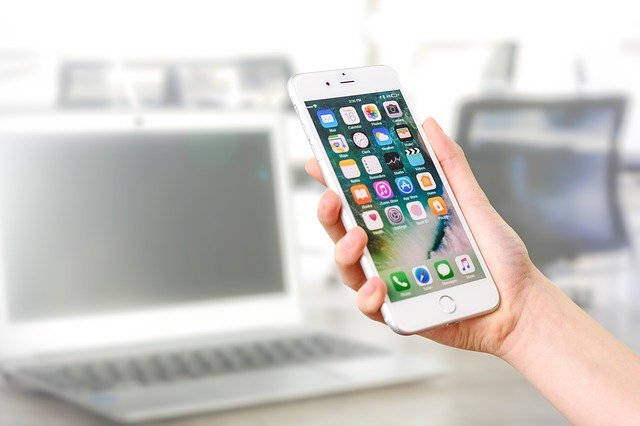
The number of people that I talk with who have a great idea for an iPhone app is incredible. The challenge for most of us in how to make it happen.
Too many of the online resources are superficial, high in hype and low in detail or aimed squarely at people with a high level of IT skills and experience. Most of the people I talk with are like me and have no programming skills and lack the time, drive and aptitude to develop them.
Despite my lack of skills, I have developed a 2 iPhone apps (Force Field Analysis & Competitor Analysis – both business apps) and have another 4 apps in development.
The process to get my apps developed was convoluted and challenging. Along the way, I have made plenty of mistakes but also found heaps of tools, tips and tricks. I have pulled all this together into a new 260 page eBook that explains the 9 Step Process of developing and marketing an iPhone app – in great detail.
The eBook also includes a listing of over 205 resources that you can use to develop your own iPhone application.
As a business coach working closely with business owners and managers in a wide variety of settings, I am frequently out of my office and “on the road”. In the last few years, I have found some great technology that has revolutionized my work.
Most of this has been fueled by increasing connectivity due to wireless broadband Internet, cloud based computing and integrated communication devices.
The tools of trade that I can no longer be without are:
SMARTPHONE: I use an iPhone as it seamlessly connects with my Mac and iPad making a truly integrated system. However, I have friends and colleagues with Blackberry and Android phones that provide the same evel of service.
Key elements are obviously the phone plus internet and email access. In addition there are a variety of apps that I use on my iPhone and iPad that are excellent. I also carry a set of headphones (standard Apple model) for making hands-free calls and listening to music on the phone.
My Smartphone allows me to quickly check emails and text messages between meetings and I can even respond with simple replies on my phone (big fingers and lack of fine motor skills restrict usability).
I synchronize my CRM (I use a Mac based CRM Daylite but you can use outlook, etc) so that appointments and contact details are maintained on all devices. I will discuss some of the key apps that I use below, but they are an essential part of being mobile.
Battery life on the iPhone often struggles to meet demand, so I carry a USB charge cable and a quick charge battery pack which is about the size of a box of matches (they still make them – don’t they?)
iPad 3GS: since purchasing my iPad about 6 months ago, I wonder how I ever got on without it.
Previously I would cart my laptop plus assorted cables and chargers and a USB Internet connection with me all day. I had a large computer bag to carry my computer, peripherals and client books. This usually weighed more than 4kg hand luggage limit on our local commuter airline meaning that I would often have to have my equipment (I always kept my laptop in hand) in the hold of the plane – another inconvenience.
With the iPad, all I carry is a USB charging cable (same one as the iPhone) but I rarely have to use it as the iPad has excellent battery life. For overnight trips I will take the wall charger but this is a very small unit so it’s not a drama. I also carry an adapter cable that will let me plug my iPad into a monitor or data projector for use with presentations. This plus the Livescribe pen and writing pad (in a leather folio) fits into a small leather briefcase rather than a large computer bag.
While the iPad is not a full laptop replacement it does 80% of the things I require when on the road. I can type simple documents (actually I’m typing this blog in a cafe on my iPad), use simple spreadsheets, edit and deliver simple PowerPoint presentations, check my email, surf the web, update social media sites (LinkedIn, Facebook, Twitter), complete skype calls, use my CRM and various other apps.
The screen based keyboard is not ideal but is passable for most of my needs – however, I’m about to upgrade to an iPad 2 and will look for a very portable wireless Bluetooth keyboard to match it – I’ll keep you posted on progress.
2011 will see the release of a number of competing products for the iPad and sure many of these like the Android phones will be quite good. I am an unabashed Apple fan – the stuff just works!
But whatever brand you choose, make sure that each of your devices is very compatible with the others – it just makes life easier.
LIVESCRIBE SMARTPEN: (www.livescribe.com) possibly the best investment I made in 2010 was this innovative smartpen. It is a literally a small computer in a pen and has fundamentally changed the way I work with my clients (actually the product works so well that many of them now have Smartpens oftheir own).
The Smartpen is an electronic biro. You use it on custom stationery, although you can print your own. The pen uses an infrared camera and “invisible markers” on the stationery so that it knows in what book, what page and where on that page you are writing.
It records every pen stroke and allows you to upload a copy of the page to your computer. You can then share your notes with others via PDF, Evernote or uploading the website.
You can also record audio with the pen and it will sync the audio and writing so that when you play it back you can see what was being said (recorded) at the time you were writing. Great for lecture notes and seminars.
I use it to record my meetings with clients, then when I return to the office, I upload to my desktop (there is no iPad app) and then send a copy, usually PDF, to my client. If necessary, I will also need a copy to my VA for typing.
Stationery is available in a variety of sizes and formats and is reasonably priced.
It is a great idea that works really. The pen is a little chunky but after using it for a while I don’t find it a chore to write with.
So that is the technology that is really working for me.
What technology are you using and how does it give you leverage?
RSS Feeds – What are they? How can I use them in my business?
In this day and age, internet and mobile technology play a big role in everyday life. This is especially true for those of us who constantly search for new and efficient ways to disseminate information to our network of friends, customers and clients. Aside from the usual web tactics, RSS feeds make this possible.
What are RSS Feeds?
RSS (“Really Simple Syndication”) is a group of standardised data formats for news and headlines, blogs, audio and video. It is identified by name or symbols like this:
These formats, also known as “feeds,” allow publishers to publish content automatically via web, desktop and mobile RSS readers. Once published then content can be easily and automatically accessed by groups or individuals.
RSS also allows those who are interested to subscribe to the feeds that they like. These feeds are then delivered automatically to your RSS reader. There are stand alone RSS Readers but they are now built into the main email programs like Outlook, Netscape and Apple Mail.
The main benefit of using RSS to access the content that you like is that it is aggregated for you in one place – you do not need to visit a heap of websites to view the content that you like.
How can I use RSS in my business?
RSS is usually integrated as one of the basic functions of a website. It helps fuel traffic. And although it isn’t the only function that can generate traffic for your site, reaching as many people and getting them to subscribe to your feeds is one of the top ways to produce buzz and increase your site’s ranking and authority on the web. At the same time, you can connect and gather related info from people who think the same as you.
RSS feeds help spread the word about anything – for free. And it is for this reason, that a business owner—especially one who has taken his business online—should take advantage of it. Compared to sending emails or regular newsletters to clients or customers, RSS feeds are more effective as they are customized and specific. RSS subscription ensures that people get a hold of feeds that are only of their interest.
For businesses, RSS feeds are efficient forms of promotion and marketing that works in two ways. Aside from being a quick-share tool by supplying credible content to your subscribers on their computers and mobile phones in seconds, it also helps when business owners subscribe to or exchange feeds and gather info from related sites.
How do I subscribe to RSS feeds?
To subscribe to an RSS feed, you should have two things—an RSS reader and the URL of the feed’s website you wish to subscribe to.
RSS readers also known as “news aggregators” are free to download and easy to use. Almost all sites with RSS feeds offer links to where you can get one. But you can also choose to use a free web-based reader like Google Reader, My Yahoo or My MSN that features feeds that you’ve subscribed to in your browser’s homepage.
As mentioned above, most mail programs also include RSS Reader capabilities. There are plenty of RSS Reader apps for your iPhone, iPad, Blackberry or Android smartphone as well.
After downloading an RSS Reader, click on “Add RSS Feed” and copy the URL of the RSS then paste and add it into your reader. RSS readers allow users to customize the frequency of updates for feeds—daily, weekly or monthly.
Alternatively you can just click on the RSS icon on the blog or website that you would like to follow.
In summary, RSS feeds are truly effective info-sharing tools for businesses that will thrive and continue to find opportunities in the Internet era. They are also great tools for keeping up to date with blogs and websites that you are interested in.
Social networking has indeed changed the world. Since its introduction, this modern phenomenon, which is also referred to as social media, has provided a new and faster way for people to connect, interact and go about with their daily lives.
Social networking may have started out as a fad, but its massive appeal has transformed it to something even bigger. And today, almost 50% of the world’s IT literate population, under 30 years old, is on social networking sites such as Facebook, Twitter, Linkedin and more.
Social networking has affected almost every person in the world in one way or another—good or bad. In fact, many people’s personal lives have changed because of it. Research shows that 1 out of 8 US couples have met through social networking sites. With things like this happening because of social media, the question is, is it only good for personal life? Or are there opportunities that businesses can take advantage of?
Social Media and Business
One of social networking’s strong points is that it gets news across—whatever it is—to millions of people—wherever they are—in real time. Gone are the days when people had to take time to find out about what’s going on in the world. These days, news is fed to people via social networking in minutes! This feature is one of the best opportunities businesses can and should definitely explore and take advantage of.
Another opportunity that social networking presents to businesses is its attractiveness or appeal to people. Aside from having a large proportion of the world’s population on it, studies reveal that social networking sites, especially Facebook, have topped other forms of media such as TV, radio and other popular internet sites like Google. This percentage ensures that business people who invest time and money to market their products and companies in social networking sites are sure to get the exposure and quotas they’re aiming for.
But with so much hype on social networking, many consider that the social media bubble is about to burst. The notion has been formulated by economists who think that all things that reach a peak will soon fall. And with this speculation, business owners ask whether investing in social media is still worth it or not?
Social Media is here to Stay
People might say that the reign of social media will soon end, and although it may be true, businesses should still take the opportunity to use it for marketing purposes because the social networking technology will be here to stay.
Yes, it is possible that Facebook and other popular social networking sites may become obsolete in a few years but it will only be replaced by something much more advanced.
Social networking sites, as the term implies, thrive on people’s natural instinct to socialize, to communicate and to interact with each other. So long as there are people in the world, social media, in whatever form will stay as a powerful tool to reach out, sell and convey a message.
Social Media is Relatively Inexpensive
With the global financial crisis, finding alternative solutions to high costs is essential for businesses to survive. And with that said, another reason why businesses should consider utilizing social networking is because it is inexpensive.
Most social networking sites are free to access by anyone, anywhere in the world. With no financial cost, businesses are able to build a profile in whatever way they want their brand to be introduced and made known to the market. But don’t be fooled. Social networking may be absolutely free, but in order for businesses to excel in this new media, hard work and patience is required.
Social networking makes businesses more vulnerable to the public eye. Just as in the “physical world”, establishing solid customer relationships and providing sincere customer service are important for business growth – they are just as important online. If businesses fail to invest the necessary time and effort in reaching out to their customers – they’re bound to fail in social media, as well.
Anecdotal evidence suggests that businesses that treat their social networking like any other physical networking opportunity are winning work from it. This requires a consistent focus and attention to the network. It will involve participation in the network, communication with other members, responding to posts, joining special interest groups and discussion forums. All things you would do in a physical networking group like a Chamber of Commerce.
Selecting the Right Network for your Business
Obviously, selecting the right social media platform for your business is important. Facebook, although the dominant player in the market, anecdotally appears to be more for Business to Consumer relationships than some other options.
LinkedIn on the other hand is one the larger Professional/Business networking sites and is much more suited to building Business to Business relationships.
Twitter, is a “micro blogging” network that seems to have appeal across both business and social networks. Some of the networks, like LinkedIn, allow you to interact with other social media like blogs, Twitter, etc such that a posting on your blog can automatically feed to LinkedIn which can then on feed a comment to your Twitter account. In this way, one activity can service multiple contact points and networks.
Choose the network that suits your business and concentrate your effort on this. This should give you a greater return for effort than spreading yourself too thin.
Countering the dangers of Social Media for Business
Like all things, social networking also has its disadvantages. One of the dangers of social media for businesses is also one of its strongest points—social networking delivers news, good or bad, in an instant. For this reason, businesses should be wary of what they say about their products and be very careful of their actions.
According to some studies, people are prone to believing what they’re friends say more than what they see on advertisements or press releases. A bad company or product reputation will easily spread via social media.
Another thing that business owners should keep an eye out for when investing in social networking sites is the possibility of having copycats. Competition can encourage anyone to do just about anything, and because social media sites are mostly free, it’s easy to copy and create false and rep-destroying profiles against a competitor. Because of this, social networking as a marketing tool is dangerous by itself.
Integration is the Key
Social Media is not the only platform for your marketing – it is one of many. And it should be integrated into traditional media and other marketing strategies such as word of mouth, relationship building and contact programs.
It is crucial for businesses to integrate social media activities with their existing marketing programs because the objective of using social media is to build relationships via an online community, just as much of your other marketing is about interacting with the physical community.
Overall, the advantages of social networking as a business tool outweigh its disadvantages. With larger proportion s of the business community involved in social media in one way or another, it is a strategy that business owners should definitely take advantage of.
Are you working with clients, suppliers or staff at a distance? How can you improve the interactivity of your distance communications?
Broadband speed internet access can revolutionise the way that you can communicate at a distance. This can have enormous cost savings for your business as well as improving relationships.
We are currently using a combination of these technologies in a variety of ways.
I use VOIP as my daily phone service and also use Skype to communicate with colleagues and clients on a daily basis, often using video. I use Instant Messaging via Skype for quick responses and to see whether people are available for a call.
I have found that recent innovations at GotoMeeting, mean that the Conference Call service is being used less and less. I am using GotoMeeting more and more as it makes for far more productive Conference Calls.
We have been using the Webinar feature of GotoMeeting to assist in the delivery of on-line training, especially across organisations with offices in multiple locations.
These tools are outlined below.
VOIP: This stands for Voice Over Internet Protocols as is basically about transmitting voice calls via the internet rather than over a phone line. This results in fantastic cost savings.
There are basically 2 types of VOIP service: hardware and software.
Hardware VOIP Services: use a device (like a modem) to convert your voice into electronic signals and transmit over the internet. It is just like using a normal phone and costs are in the vicinity of 10c to 15c per call for local and national calls (untimed). Calls to mobile are more expensive and international calls are usually very competitive, Using a VOIP service on my office phone has cut my phone bill by 75%. There are number of providers (most ISP’s offer a service) but I have used www.engin.com.au as they were competitive on price and service. You will usually need to purchase an adapter.
Software VOIP Services: www.skype.com This is a software system that allows you to make telephone calls from your computer using VOIP. Calls from computer to computer are free and you can also have free video calls if you have a webcam . Skype also allows you to make calls from your computer to landlines at a cost similar to hardware VOIP.Sign up is free.
Instant Messaging: use this to send short messages instantly. It is great for checking whether people are available for a phone call or for simple questions. Solutions are included with Skype but are also available through Yahoo and Microsoft.
Conference Calls: There are a number of low cost Conference Call Companies that enable you to make conference calls often at a big discount to the big players like Telstra.. One of the simplest and best in Australia and New Zealand is www.hotairconferencing.com.au and I have found their costs to be about 50% of the big guys and the system is much simpler to set-up and run.
Online Meetings: There are a number of great solutions for conducting on-line meetings. These solutions allow you to have multiple people “attend” and to see whatever is on the presenter’s screen. This can be a PowerPoint, spreadsheet, document, database, etc. They include full audio and the ability to record your meetings.
I have been using www.gotomeeting.com which has a fantastic built in audio system. Another very popular program is www.webex.com both are reasonably priced with free trial services. The Perfect Storm webinar was recorded using Webex.
Both suppliers also have Webinar options which are tailored to this expanding market and enable you to market, manage and deliver a webinar with multiple speakers to up to 1,000 people. It is very cost and time effective.